Volume
From 0 to 500%.
Adjust gain on the tab you enable. Higher settings can introduce clipping or distortion; more is not always better.
0%100% is the starting point500%
 SountekAdd to Chrome — Free
Sountek 2.0 is coming to the Chrome Web Store. The store currently offers the previous release.
Sountek for Chrome · Free
A little more volume.
A better balance. All in your browser.
Give compatible web audio a lift with per-tab volume, a 3-band EQ, and simple listening controls.
Free to use. No account, ads, or AI.
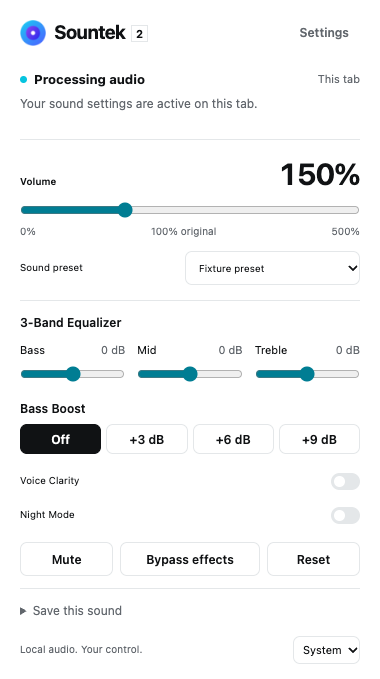
Bring quiet dialogue forward, adjust a bass-heavy track, or even out changing levels. Start at 100% and find a comfortable balance.
Volume
Adjust gain on the tab you enable. Higher settings can introduce clipping or distortion; more is not always better.
Tone
Shape bass, mid, and treble. Add bass emphasis or voice presence when the source needs it.
Explore the controlsDynamics
Night mode uses a compressor. Soft clipping rounds off strong peaks. Neither guarantees distortion-free audio or hearing protection.
Always your choice
Nothing starts processing just because you installed Sountek. Enable each compatible tab yourself.
Audio processing stays in your browser. Preferences stay on your device. Sountek has no server account, audio uploads, analytics, or advertising.
Read the privacy policySountek works with compatible native HTML audio and video. It does not capture your microphone or all sound from your computer.
See compatibility